
8 Earth Friendly Ways To Save Money On Utility Bills

1. UNPLUG

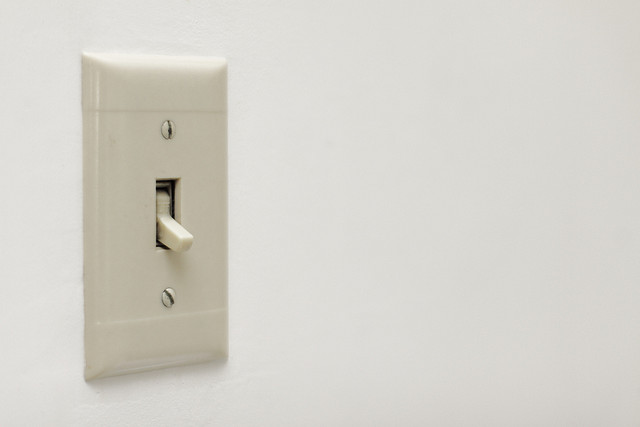
You do not need a PhD to know that unplugging your cables and electronics when not in use can help you save energy and reduce your bills. Even if you turn the switches off, appliances will continue to use energy if they are plugged in.

Image Credits: Chris Potter via Flickr

Image Credits: Chris Potter via Flickr

2. KEEP IT COOL

Cold running water uses lower amount of energy than heated ones. So, use cold water when washing your clothes and dishes or when doing other tasks.

3. CHOOSE WISELY

If you are buying a new appliance, make sure that it is an energy efficient model. Smaller appliances not only help you save more on space but on bills also. Opt for a relatively small microwave than an oven and smaller lamps than the overhead lights.

4. REFRAIN FROM REPEATEDLY OPENING THE FRIDGE’S DOOR

Ensure that you know what you must get before opening the refrigerator’s door/s. Repeatedly opening and closing the door/s will only cause cold air to escape and for the appliance to work more than it should.

5. PUT DOWN THE BLINDS

During summer and hot days, put down the blinds to prevent extra heat from coming in and prevent your air conditioner from running more on energy. Do the opposite during the cold weather to keep your home naturally warm.

6. PAINT THE ROOF WHITE

In Color Psychology, white symbolizes new beginnings while in Business, it symbolizes efficiency. By merely painting your roof white, findings suggest that it can cause a 40% drop on the energy consumption. It also cools down the whole house.

7. COVER THE POTS

Cover your pots when boiling because if you leave it open, the boiling period will only be longer and therefore requiring more energy.

8. DOUBLE CHECK YOUR BILLS

Image Credits: Phillip Stewart via Flickr

Image Credits: Phillip Stewart via Flickr

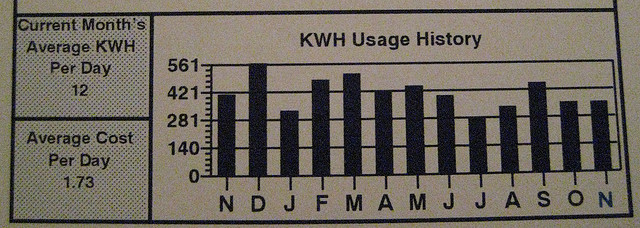
Double-check your billing amount to ensure that you are paying accurately. Do this by checking the reported bill usage and comparing it to your meter.

Read More...

5 Ways to Save Money on Hand Phone Accessories

The cost of your hand phone accessories range from $2 to $100+, but its expense adds up together. Hence, it is paramount to be savvy in purchasing hand phone accessories to save money.

1. USE A SOCK ON IT

Instead of buying a new phone case, try to buy a new pair of toddler socks. The phone fits perfectly inside the sock and it is easy to see in your purse. It not only protects your phone to serve its purpose but it also has a wide range of cute designs to choose from.

2. BUY HAND PHONE ACCESSORIES ONLINE

Do not rely solely on the gadget shops in the malls that sell hand phone gear, also explore good prices in the Internet such as: Amazon, eBay, and Carousell. Online stores have sales and clearance of their last year stocks where you can save money. It is important to shop around, and compare prices before purchasing to get the best deal.

3. PROTECT YOUR CHARGER CABLE WIRE

The cable chargers of Apple products usually break and bend. This urges Apple users to buy another costly cable for the Mac store. The solution is simple, take the spring from your old pen and put it on the cable wire. Or, you may buy plastic cable wire protectors for $1.50 to $2 from Carousell.

Image Credits: Raul Gonzalo via Flickr

Image Credits: Raul Gonzalo via Flickr

4. DO YOU REALLY NEED AN EXTRA BATTERY?

Rethink if you really need an extra battery before buying them. Some smart phones do not have an option of replacing the battery by your own. So, it is wiser to invest on an extra charger for your office or your car.

5. STOCK UP YOUR OLD HAND PHONE ACCESSORIES

Do not toss your old hand phone accessories such as your car charger because phone companies may revert back to their old power cord. Instead, clean your silicone phone case in the dishwasher or sell your stuff online to earn more.

Read More...

4 Tips To Reduce Your Phone Bill

Can’t live without your smartphone? You’re not alone. Singapore is one of the most wired countries on the planet, with 88% of Singaporeans owning at least one smart phone. With smartphone usage being such an important part of your daily life, phone bills at the end of the month can sometimes get rather monstrous.  We want to help you out. Here’s 4 tips on how to reduce that phone bill.

Sign Up For A Corporate Or Student Plan

Companies often tie-up with phone service providers to offer special corporate plans for their employees. These special plans can entail reduced rates, additional data and more! While it can be certain that most large companies have such mobile plans for their employees, some smaller businesses also provide such benefits as well. Sometimes these special corporate plans aren’t very well communicated by the company management, so remember to take the initiative to ask.

If you’re a student, there are plenty of student plans abound from each of the phone service providers, so feel free to take your pick. Some of them offer free campus calls, or unlimited text messages, so choose your plan wisely

Use Free Apps

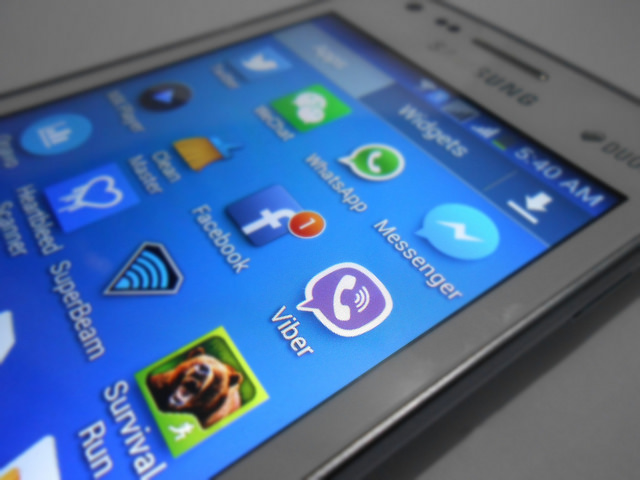
Why text, when you can use Whatsapp, Line or Telegram? Why call someone using the conventional calling function when you can use Vibre or Skype? There are plenty of free apps abound on the Apple App Store and Google Marketplace that allow you to make full use of the internet connectivity of your smartphone. Most, if not all, of the functions which make use of your normal mobile plan features such as texts and calls can be replaced by these apps. Doing so would definitely minimise your phone bill, as you would be using less of what can be charged to you.

Do take note of your 3G/4G usage, as all these apps would make use of the wireless connection. But hey, you’re in Singapore, one of the most wired countries on the planet! This means you should…

Use Wifi Whenever Possible

Remember to make sure you log in to your home wifi whenever you reach home. Imagine the rude shock you would receive if you were watching videos all night, only to realise you had forgotten to connect to your house wifi! Most malls now have wifi as well, so visitors just need to create and account and log in to use it. The government is also in the midst of installing wifi accessibility in 36 MRT stations, so you can eventually even use wifi when while waiting for the train!

Use Prepaid

Sure this might not be the coolest thing around, but if you’re someone who can survive without being on Youtube and Facebook 24/7, this is a very viable option. You only need to pay a small minimum amount to get started with using a prepaid, after which you can top-up if you need to! Using a prepaid card also means you can better regulate your phone usage, because once you run out of prepaid credit, you literally can’t use your phone anymore to call, text or surf the net. If you use a mobile plan, you run the risk of going overboard each month if you don’t make the effort to track your usage regularly


Read More...

Confide: A Free App to Keep your Business Secrets from Getting Hacked

These past few days, the news of a huge entertainment company being hacked shocked most of us. This big company is no other than Sony Pictures. A hacker group called LulzSec sent out a message on Twitter saying: “1,000,000+ unencrypted users, unencrypted admin accounts, government and military passwords saved in plaintext. #PSN compromised. @Sony”.

Image Credits: TRF_Mr_Hyde via Flickr

Image Credits: TRF_Mr_Hyde via Flickr

Various collections of data were accessed and stolen easily without the need of outside monetary support. Among these data are admin details including their passwords. Truly, it is very scary.

This is not the first time Sony has been hacked. In 2011, hackers stole the personal information of over 24.6 million Sony Online Entertainment users with more than 20,000 credit card information. This is such an embarrassment for a company as big as Sony.

This “simple” attack by LulzSec will surely make Sony paranoid to the extent of further improving their technological restrictions, security, and privacy. Luckily for Sony, a private messaging company offered their services to them for free.

Confide, a relatively new private messaging App for Android and iPhone, mimics the capabilities of Snapchat. The only difference is that, Confide does not let the people you send messages to take a screenshot. It’s a way to send messages to your contacts without having to worry about the information getting hacked or leaked out.

Screenshot Credits: Confide App via Google Play Store

Screenshot Credits: Confide App via Google Play Store

Other features of the Confide App include: messages disappearing forever once they have been read, messages being encrypted, messages can be sent to email addresses or phone numbers, and getting notifications once your message has been read.

Best of all? It can be downloaded for FREE in Google Play or ITunes.

Along with Sony, Confide App is now trying to capitalize on the Sony hack by pitching its services to other big companies. If you asked me, I would say that perhaps Confide App has an association with the recent hack in order to market their business, but that is just my crazy conspiracy theory talking.

Image Credits: michael davis-burchat via Flickr

Image Credits: michael davis-burchat via Flickr

The main agenda of the hackers was to warn the nation of how “simple” it could be to access information with security flaws, and how it is paramount to tighten privacy measures in this age and time.

Read More...

4 Smartphone Mishaps that You Can Repair Yourself

Nowadays, almost everyone uses a hand phone or a digital device (e.g. tablet, laptop). And as these devices grow in popularity, its complexity, features and parts also increase.

When a hand phone or cell phone is broken during the 1990’s, people will probably self-repair it by the use of small screwdrivers or even a pair of tweezers. But, self-repairing a Smartphone is not possible now…or is it?

The truth is…there are some repairs you don’t have to pay someone for. I bring you the ultimate list of 4 Smartphone Mishaps that You Can Repair Yourself (and save money in the process)…drum roll please!

1. REVAMP THE CHARGING PORT

With continued use; your charger may not fit as well into the port as it did before. The simple way to fix it is to use a sharp toothpick to remove the lint and dirt from the port. Clean the rest of your phone by using cotton swab/ cotton buds/ cotton tips with drops of distilled water on it.

Image Credits: Yutaka Tsutano via Flickr

Image Credits: Yutaka Tsutano via Flickr

2. IMPROVE THE AUDIO QUALITY

Overtime, you may experience hearing an inferior sound when you plug the earphones into the “jack” (usually on the upper-right hand corner of the phone). To fix this audio quality, stick a cotton swab into the jack and use it to clear out any dirt.

3. REPLACE A SHATTERED SCREEN

Replacing your smartphone’s screen is usually do-able and it is easier than you think! All it takes is the right tools and a little courage. Get concise instructions online (here or here) and buy a repair kit if you don’t have a toolbox. You may buy a repair kit on IFIXIT or Ebay.

Image Credits: Toby Charlton-Taylor via Flickr

Image Credits: Toby Charlton-Taylor via Flickr

4. REVIVE A SOAKED SMARTPHONE

One of the common mishaps is water damage. Even I experienced it myself. So, if your phone takes an unexpected swim, remove the battery (if possible), and place it in a bag of rice for one day or two to absorb the moisture within. With luck, this will do the trick.

Image Credits: rharrison via Flickr

Image Credits: rharrison via Flickr

Sources: Reader’s Digest Magazine, Lifehacker.com

Spare yourself some money and time by subtracting Smartphone repair to your expenses! Truly, there are some mishaps that you can handle yourself. All it takes are tools, courage, determination, and a little help from the Internet.

Read More...