
5 Free Video Editing Apps You Should Download Now

Do you want to share your beautiful memories captured on videos but think that it needs extra effects or finishing touches? Fret not because many Video Editing Apps that have a near-professional quality are available for free on iTunes and Google Play store. Check these 5 Video Editing Apps to add a personal shine to your videos…

1. SOCIALCAM

Available for IOS and Android devices

Socialcam App fuses the power of video editing and social network. It allows you to add vintage filters to your videos that you can share to your friends anywhere. You can also view the other videos uploaded in the community. What is great about this App is that it lets the users shoot at a 720p HD quality while using its HDR functionality to color-correct videos in real time. Also, you can shoot as long as you want.

2. MAGISTO

Available for IOS and Android devices

Magisto App is basically an editing shortcut right in your fingertips. All you need to do is upload a video, choose your theme and background music then, the App will do the rest. It automatically selects the best scenes to create a better video.

3. CINEFY

Available for IOS devices

Basic yet productive are the words to describe Cinefy. Cinefy App has a user-friendly interface that lets you select from over a hundred of special effects and animations that you can add on your video. You may also add your favorite song from ITunes.

4. MONTAJ

Available for IOS devices Montaj App allows you to shoot a series of 5-second clips that you may sort in a storyboard where you can add music and filter. A cool feature if you are willing to try your luck is to shake your smartphone to let the App choose a random song and filter for your video. Here is a sample:

5. CUTE CUT

Available for IOS devices

As a user myself, if I were to describe Cute Cut briefly I would say it is a handy moviemaker. The Cute Cut App guides the newbie with its pop-up help tips. Its features include: drawing on your video, changing the videos’ borders, drag-and-drop layout, and customizing your video with music effects, texture, transitions, and shadows. Not bad for a Free App!
 

Read More...

How Safe Are Online or Mobile Money Transfer Services?

Money Transfers that lets you send money in just the few clicks of the mouse or the few taps of your hand seemed unimaginable decades ago. But nowadays, online and mobile apps are sprouting everywhere. Its convenience to send money to your friend for instance, even if you live far away from each, keeps you tempted to use it.

However, when you allow doing the transactions online with your personal details, you are also vulnerable to identify theft, fraud, hackers, or worse. This is why it is important to ensure that you enable all the security features that the company offers. Here are some of them…

1. SQUARE CASH

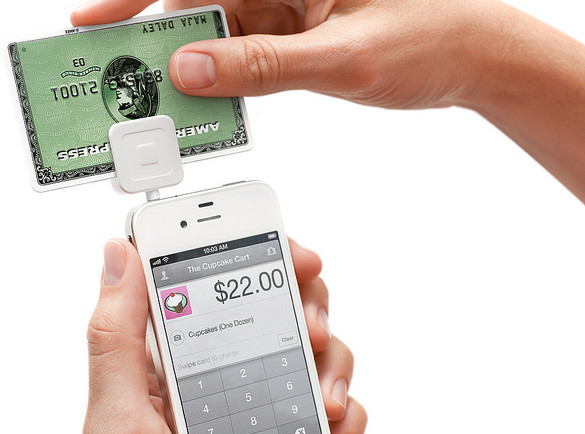
Square, Inc. is a company that permits individuals and merchants in the United States, Canada, and Japan to accept offline debit and credit cards on their iOS or Android smartphone or other tablet devices.

Square has SSL to protect your identity and activity. Also, the company makes sure that your personal data and password are encrypted. However, they do not have two-factor authentication and notifications that tell you when your password has been changed or when you have added a new account.

2. PAYPAL

PayPal is one of the largest online money transfer services available worldwide. It is available on your laptop, smartphones, or tablet devices. Its international digital wallet allows business to make payments and transfer money fast without the traditional paper methods.

Unlike Square Cash, PayPal protects your account further by allowing two-factor authentication and notifications as soon as account changes have been made. They warn the users to watch their transactions and assist them through the help pages. They also offer SSL to protect your identity and activity. Lastly, your personal data and password are encrypted.

3. GOOGLE WALLET

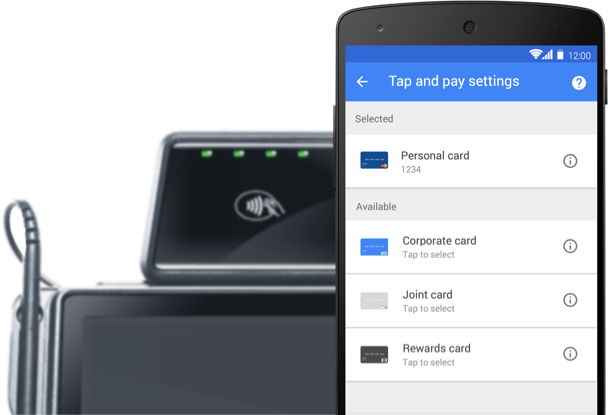
Google Wallet, developed by Google, is an online money service that allows the users to store their debit cards, credit cards, loyalty cards, and gift cards as well as redeeming sales promotions through the mobile application.

Google has a strong protection wall like PayPal. They offer a huge volume of information on how to be safe when using their services. Putting money in your Google Wallet account or paying online is a breeze however; getting your balance back is quite difficult. This may seem less convenient but it is good from a safety perspective.

In conclusion, older and tested money services such as PayPal and Google Wallet have set up a tougher protection wall. And, if you choose to use these services, be sure to enable all its security features and be vigilant about your cash flow at all times. Also see Mothers day in Argentina.

Read More...

8 Earth Friendly Ways To Save Money On Utility Bills

1. UNPLUG

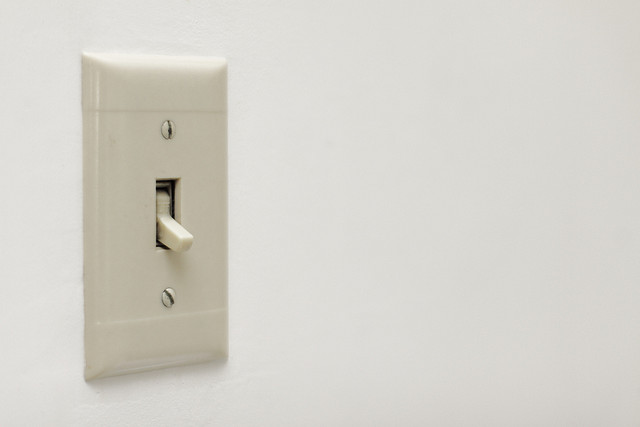
You do not need a PhD to know that unplugging your cables and electronics when not in use can help you save energy and reduce your bills. Even if you turn the switches off, appliances will continue to use energy if they are plugged in.

Image Credits: Chris Potter via Flickr

Image Credits: Chris Potter via Flickr

2. KEEP IT COOL

Cold running water uses lower amount of energy than heated ones. So, use cold water when washing your clothes and dishes or when doing other tasks.

3. CHOOSE WISELY

If you are buying a new appliance, make sure that it is an energy efficient model. Smaller appliances not only help you save more on space but on bills also. Opt for a relatively small microwave than an oven and smaller lamps than the overhead lights.

4. REFRAIN FROM REPEATEDLY OPENING THE FRIDGE’S DOOR

Ensure that you know what you must get before opening the refrigerator’s door/s. Repeatedly opening and closing the door/s will only cause cold air to escape and for the appliance to work more than it should.

5. PUT DOWN THE BLINDS

During summer and hot days, put down the blinds to prevent extra heat from coming in and prevent your air conditioner from running more on energy. Do the opposite during the cold weather to keep your home naturally warm.

6. PAINT THE ROOF WHITE

In Color Psychology, white symbolizes new beginnings while in Business, it symbolizes efficiency. By merely painting your roof white, findings suggest that it can cause a 40% drop on the energy consumption. It also cools down the whole house.

7. COVER THE POTS

Cover your pots when boiling because if you leave it open, the boiling period will only be longer and therefore requiring more energy.

8. DOUBLE CHECK YOUR BILLS

Image Credits: Phillip Stewart via Flickr

Image Credits: Phillip Stewart via Flickr

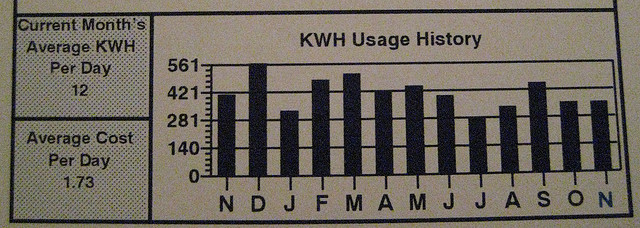
Double-check your billing amount to ensure that you are paying accurately. Do this by checking the reported bill usage and comparing it to your meter.

Read More...

5 Ways to Save Money on Hand Phone Accessories

The cost of your hand phone accessories range from $2 to $100+, but its expense adds up together. Hence, it is paramount to be savvy in purchasing hand phone accessories to save money.

1. USE A SOCK ON IT

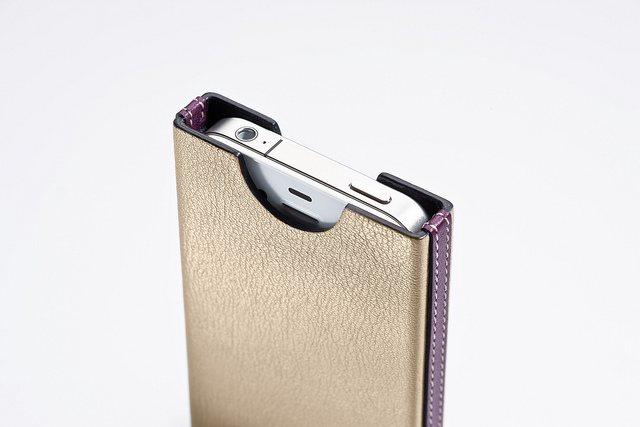
Instead of buying a new phone case, try to buy a new pair of toddler socks. The phone fits perfectly inside the sock and it is easy to see in your purse. It not only protects your phone to serve its purpose but it also has a wide range of cute designs to choose from.

2. BUY HAND PHONE ACCESSORIES ONLINE

Do not rely solely on the gadget shops in the malls that sell hand phone gear, also explore good prices in the Internet such as: Amazon, eBay, and Carousell. Online stores have sales and clearance of their last year stocks where you can save money. It is important to shop around, and compare prices before purchasing to get the best deal.

3. PROTECT YOUR CHARGER CABLE WIRE

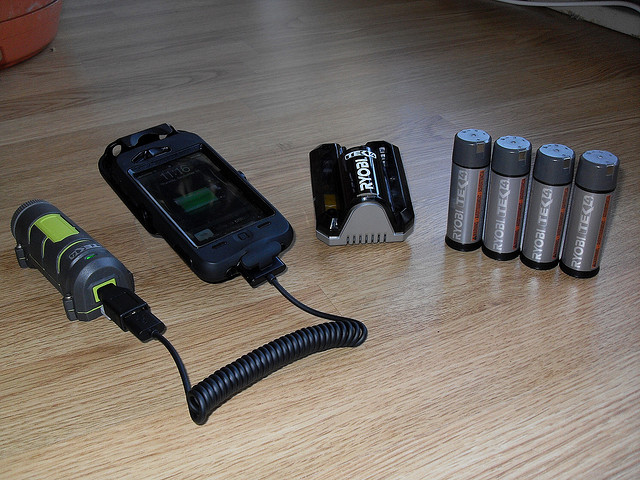
The cable chargers of Apple products usually break and bend. This urges Apple users to buy another costly cable for the Mac store. The solution is simple, take the spring from your old pen and put it on the cable wire. Or, you may buy plastic cable wire protectors for $1.50 to $2 from Carousell.

Image Credits: Raul Gonzalo via Flickr

Image Credits: Raul Gonzalo via Flickr

4. DO YOU REALLY NEED AN EXTRA BATTERY?

Rethink if you really need an extra battery before buying them. Some smart phones do not have an option of replacing the battery by your own. So, it is wiser to invest on an extra charger for your office or your car.

5. STOCK UP YOUR OLD HAND PHONE ACCESSORIES

Do not toss your old hand phone accessories such as your car charger because phone companies may revert back to their old power cord. Instead, clean your silicone phone case in the dishwasher or sell your stuff online to earn more.

Read More...

4 Tips To Reduce Your Phone Bill

Can’t live without your smartphone? You’re not alone. Singapore is one of the most wired countries on the planet, with 88% of Singaporeans owning at least one smart phone. With smartphone usage being such an important part of your daily life, phone bills at the end of the month can sometimes get rather monstrous.  We want to help you out. Here’s 4 tips on how to reduce that phone bill.

Sign Up For A Corporate Or Student Plan

Companies often tie-up with phone service providers to offer special corporate plans for their employees. These special plans can entail reduced rates, additional data and more! While it can be certain that most large companies have such mobile plans for their employees, some smaller businesses also provide such benefits as well. Sometimes these special corporate plans aren’t very well communicated by the company management, so remember to take the initiative to ask.

If you’re a student, there are plenty of student plans abound from each of the phone service providers, so feel free to take your pick. Some of them offer free campus calls, or unlimited text messages, so choose your plan wisely

Use Free Apps

Why text, when you can use Whatsapp, Line or Telegram? Why call someone using the conventional calling function when you can use Vibre or Skype? There are plenty of free apps abound on the Apple App Store and Google Marketplace that allow you to make full use of the internet connectivity of your smartphone. Most, if not all, of the functions which make use of your normal mobile plan features such as texts and calls can be replaced by these apps. Doing so would definitely minimise your phone bill, as you would be using less of what can be charged to you.

Do take note of your 3G/4G usage, as all these apps would make use of the wireless connection. But hey, you’re in Singapore, one of the most wired countries on the planet! This means you should…

Use Wifi Whenever Possible

Remember to make sure you log in to your home wifi whenever you reach home. Imagine the rude shock you would receive if you were watching videos all night, only to realise you had forgotten to connect to your house wifi! Most malls now have wifi as well, so visitors just need to create and account and log in to use it. The government is also in the midst of installing wifi accessibility in 36 MRT stations, so you can eventually even use wifi when while waiting for the train!

Use Prepaid

Sure this might not be the coolest thing around, but if you’re someone who can survive without being on Youtube and Facebook 24/7, this is a very viable option. You only need to pay a small minimum amount to get started with using a prepaid, after which you can top-up if you need to! Using a prepaid card also means you can better regulate your phone usage, because once you run out of prepaid credit, you literally can’t use your phone anymore to call, text or surf the net. If you use a mobile plan, you run the risk of going overboard each month if you don’t make the effort to track your usage regularly


Read More...